Coming to the Odoo Apps Store

A storefront that doesn't look like an ERP.

Lumen is an eCommerce theme suite for Odoo. Four sector presets, one design system, and a storefront your customers judge on its own terms — not on the ERP behind it.

The first five seconds

Your shop, not your ERP.

A shopper who lands on an Odoo store can usually tell. Lumen's job is that they cannot — full-bleed imagery, one clear action, and the trust row a first-time buyer actually looks for.
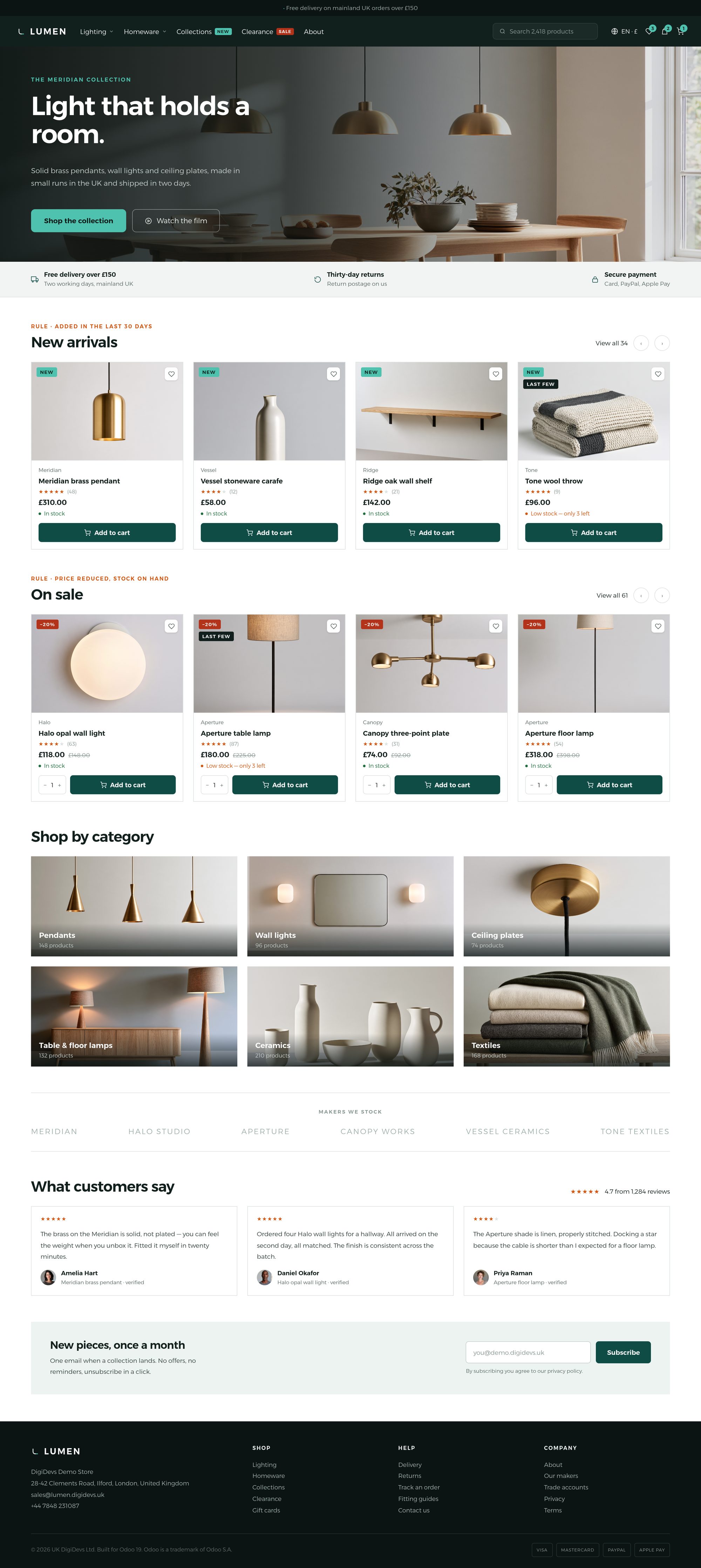
A lighting and homeware storefront homepage: a full-bleed photographic hero with an eyebrow, a headline and one primary button, a trust row reading free delivery, returns and secure payment, and a New arrivals rail of four product cards carrying ribbons, star ratings, stock states and one sale price.

Browsing

A catalogue that invites a second click.

Categories as photography rather than a list. Every tile is the merchant's own image, set from Odoo with no developer involved.
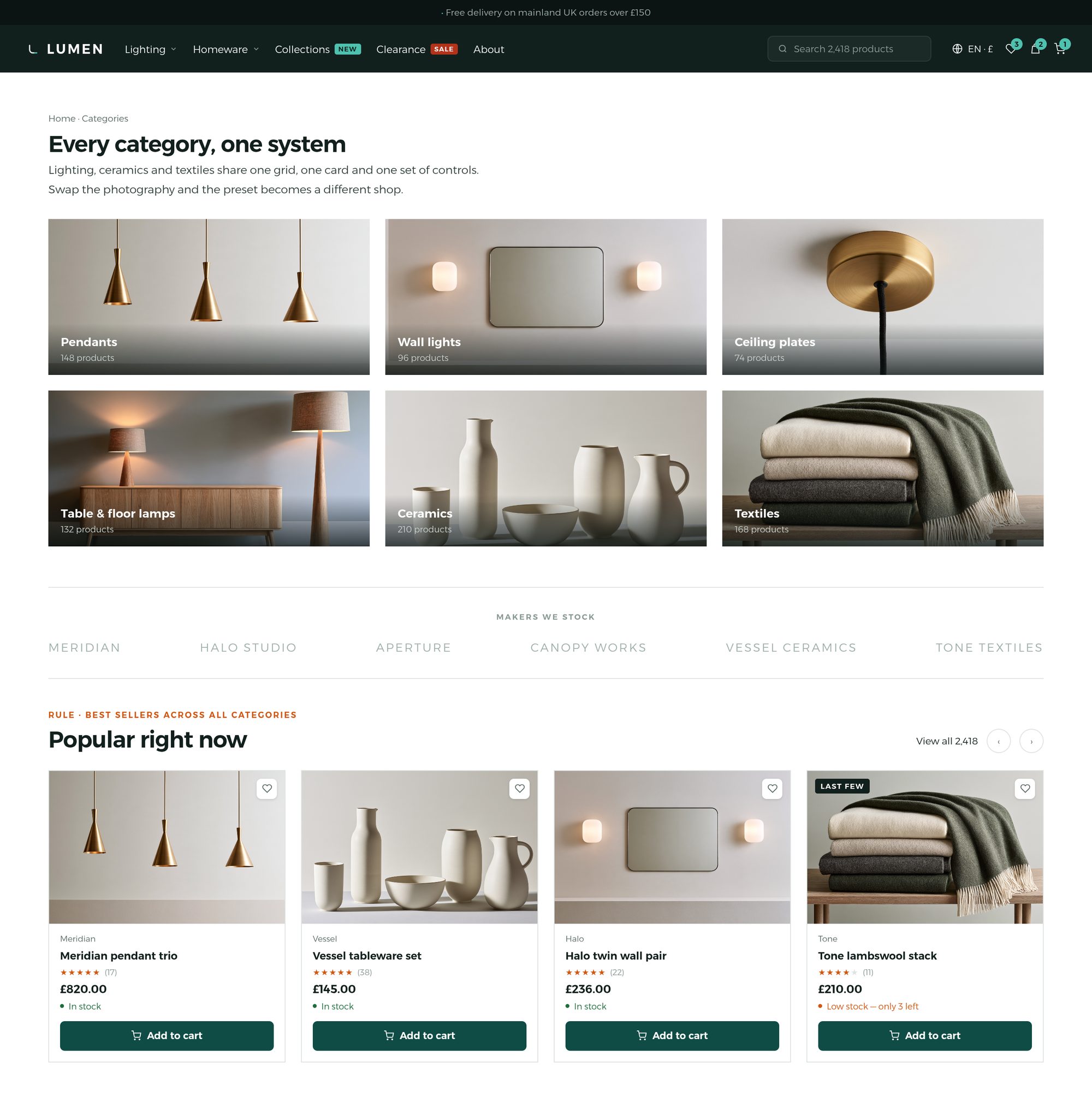
A category grid of six photographic tiles, each labelled with a product count, above a strip of six maker wordmarks.

Finding one thing

Filters that say what they did.

Multi-select attributes, colour swatches, a price range — and chips above the grid showing exactly what is narrowing the list, with a count, so a shopper always knows why they are seeing these twenty-four.
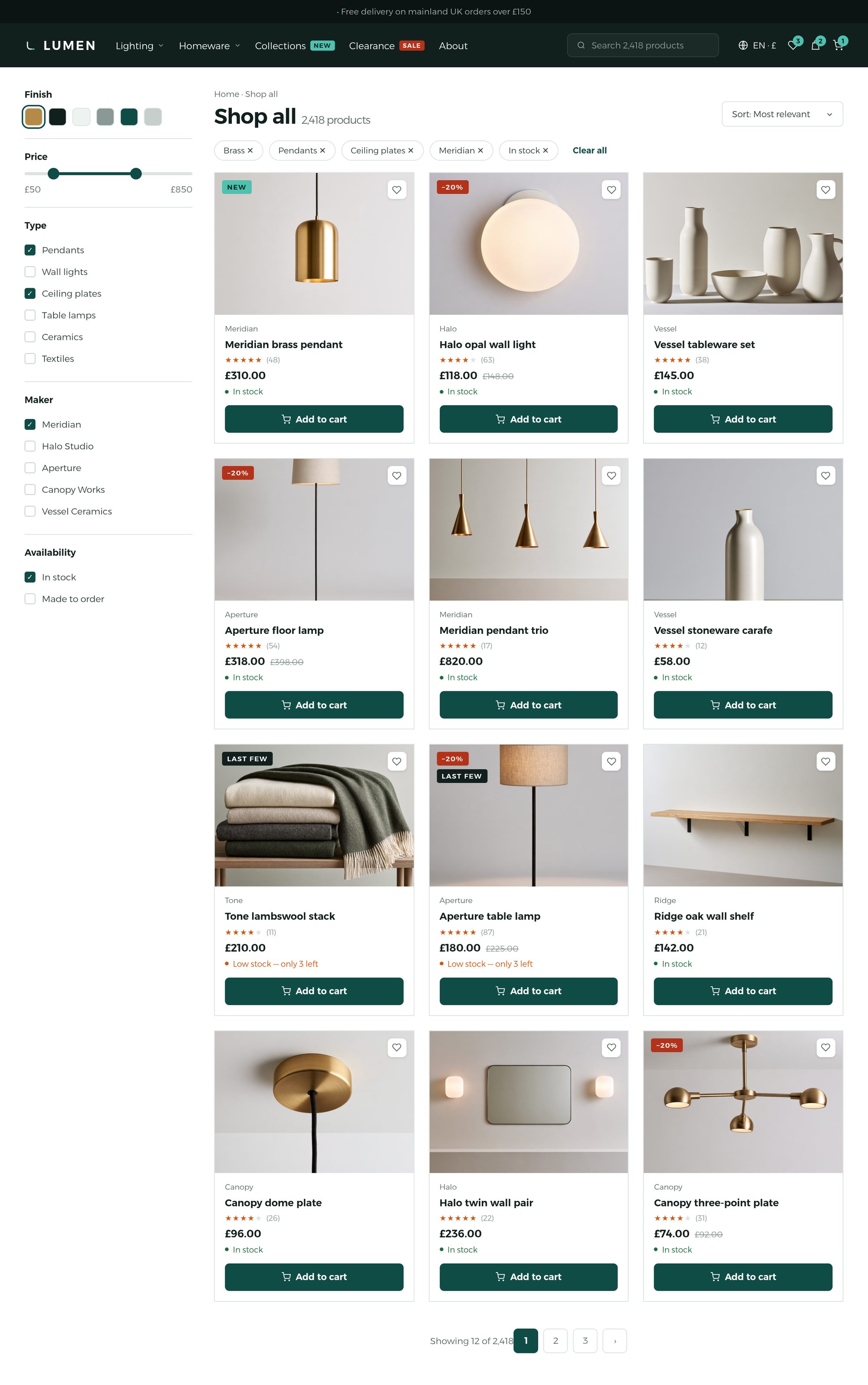
A full product listing page in light mode: a filter sidebar with a colour swatch row, a price range and checked boxes, removable active filter chips above the grid reading Showing 24 of 318, and twelve product cards in mixed stock and sale states.

Every product, every state

Dark mode, measured — not guessed.

Ribbons, star ratings, live stock states and prices. Contrast on this page is measured against the colour actually painted behind each word, on every release. Nothing ships below WCAG 2.2 AA.
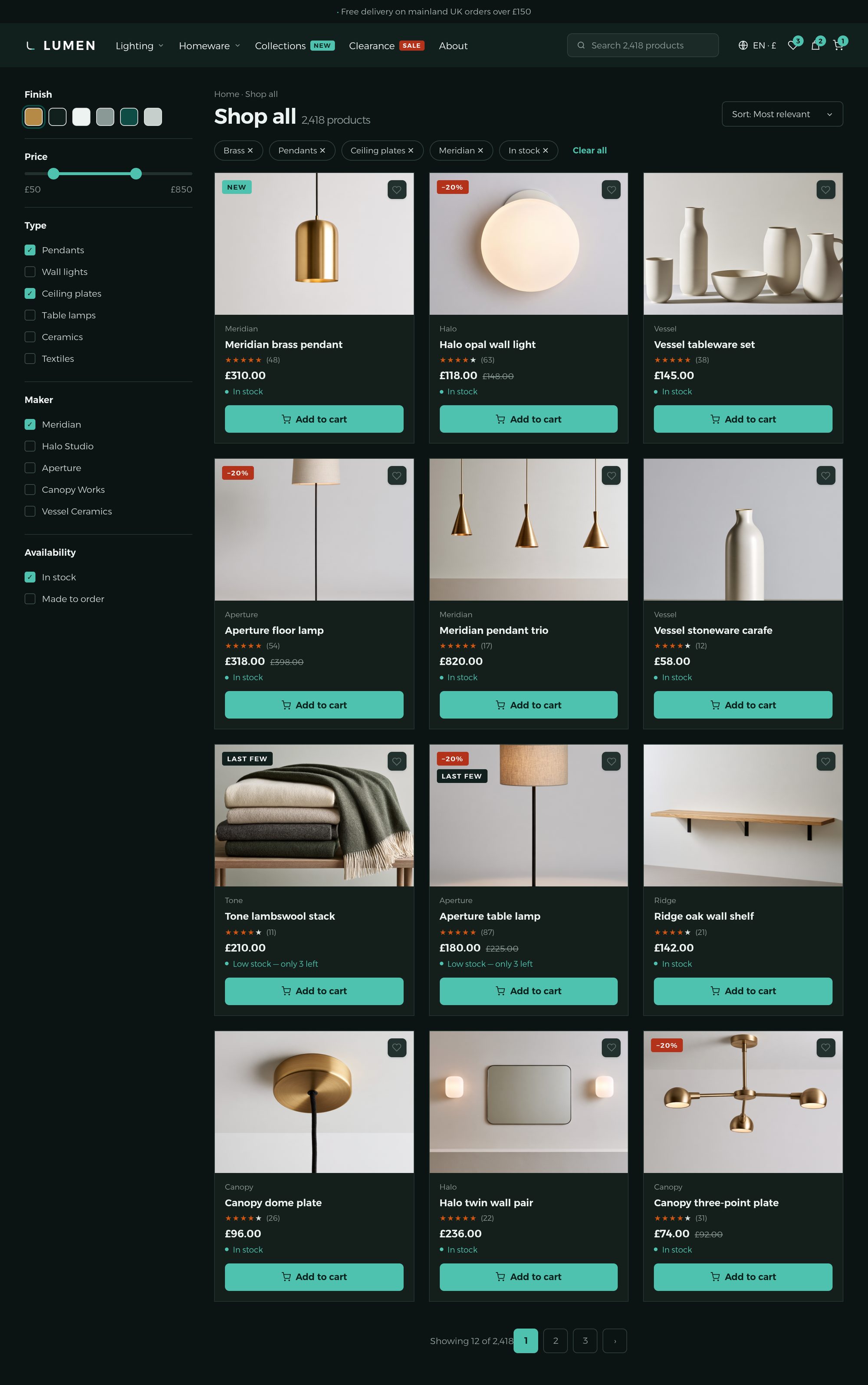
The same product listing page in dark mode, carrying an identical catalogue: the filter sidebar, active filter chips, ribbons, star ratings, stock states and prices all remain legible on the dark ground.

Arabic

Right to left, properly.

Not a flipped stylesheet. The layout mirrors, the icons that should turn do and the ones that shouldn't don't, the numerals are Arabic-Indic, and the type is set in a face chosen for Arabic rather than borrowed from the Latin one.
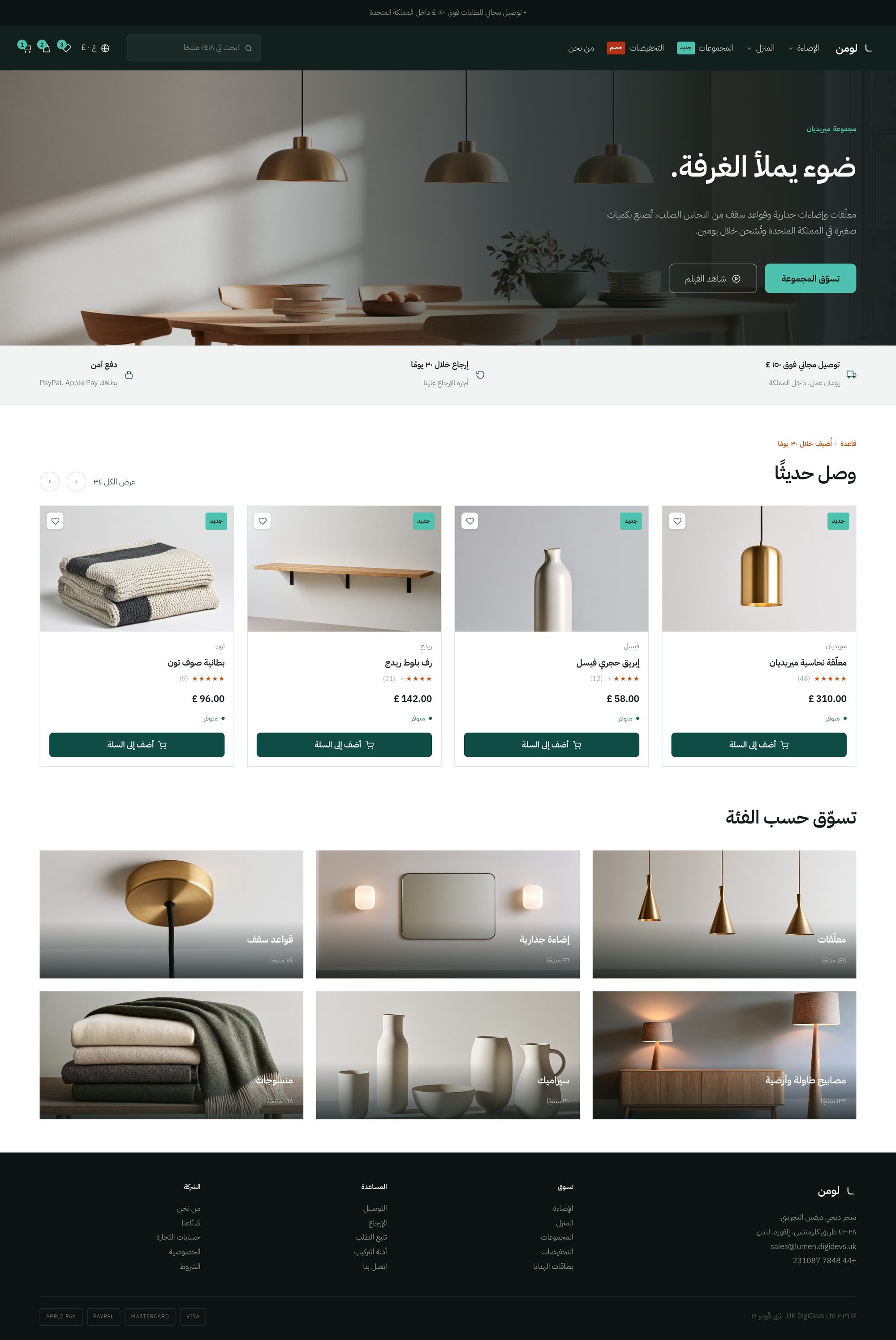
An Arabic storefront homepage, fully mirrored right to left: navigation, hero and product rail run from the right, prices and counts are set in Arabic-Indic numerals, and the text is set in an Arabic typeface with looser line height.

On a phone

Where most of your customers are.

A bottom bar that keeps the cart one thumb away, a filter drawer that opens over the results rather than replacing them, and a buy bar that stays put while someone reads. Measured at 320px, not assumed.
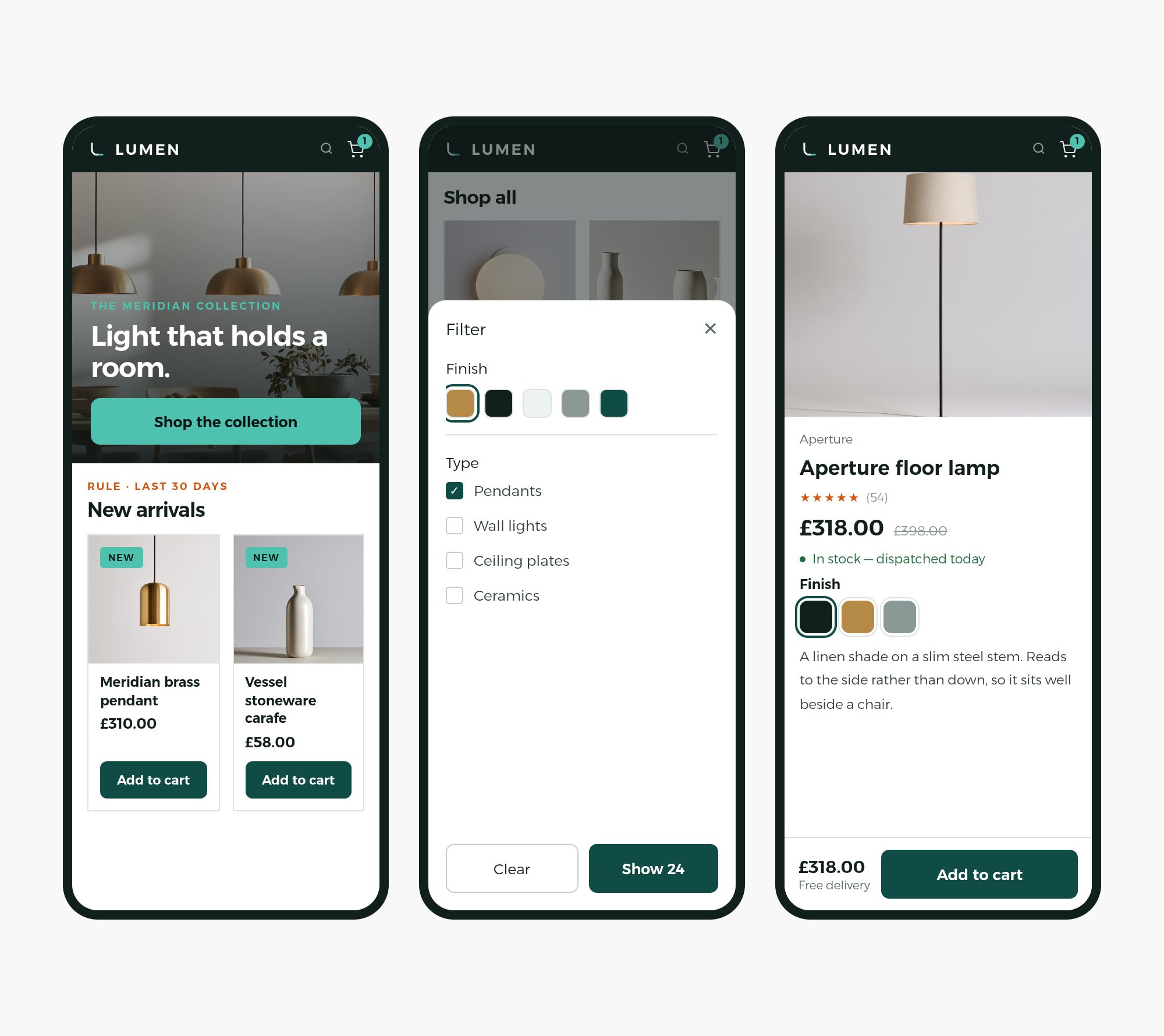
Three phone screens side by side: a storefront homepage with a bottom bar, a listing page with the filter drawer open over the results, and a product page with a sticky buy bar at the foot.

One product page

Everything the database knows, and nothing it doesn't.

Gallery, variant swatches, a stock line, delivery options, and attribute tabs that appear only where that product has the data. If the database does not know it, the page does not say it.
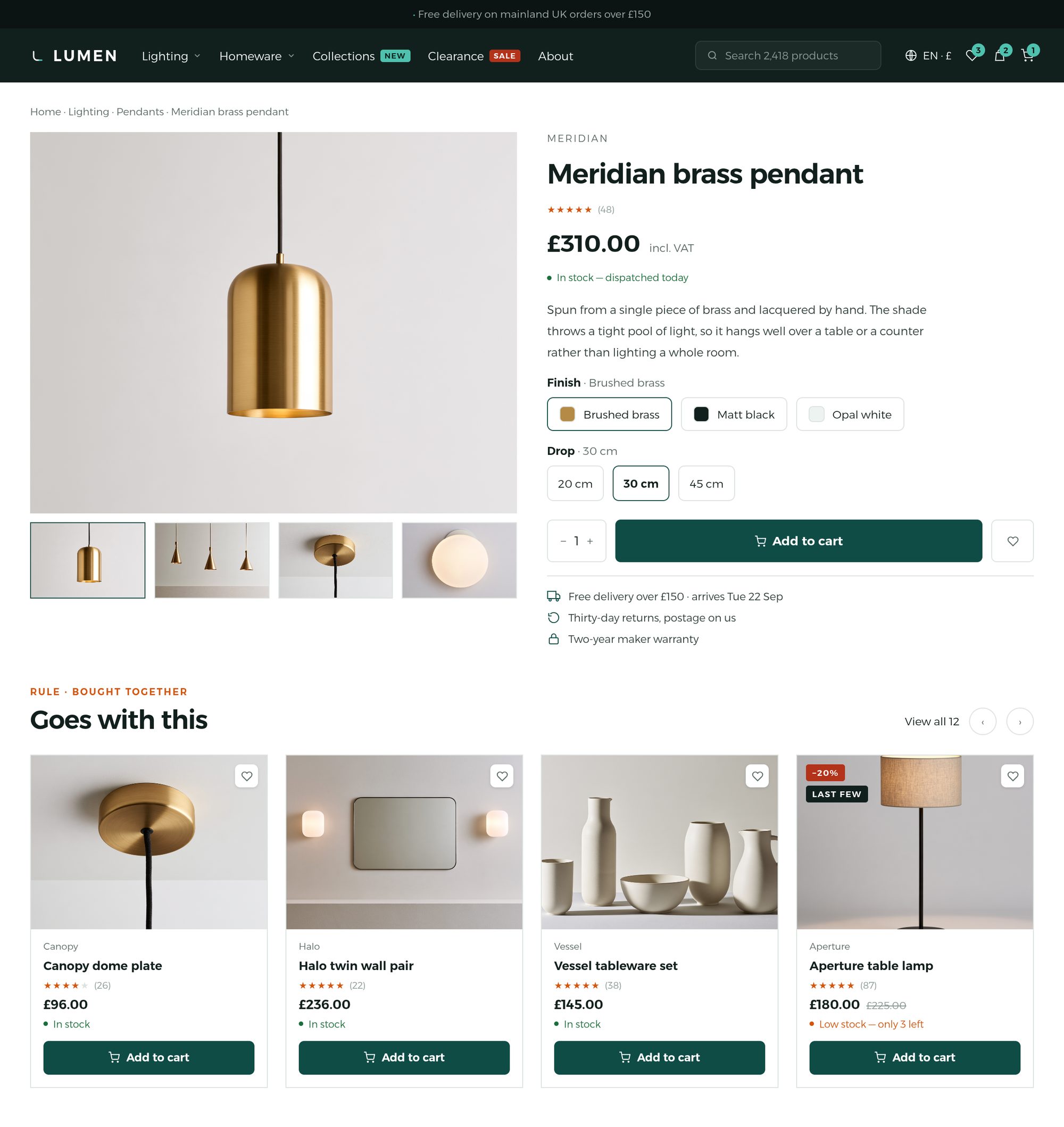
A product page in light mode: an image gallery with thumbnails, variant colour swatches, price, a stock line, delivery options, attribute tabs, and a review section with an aggregate rating summary.

Four presets

One design system, four characters.

A preset changes more than the hue. Density, image scale and what leads the page all move with the sector.
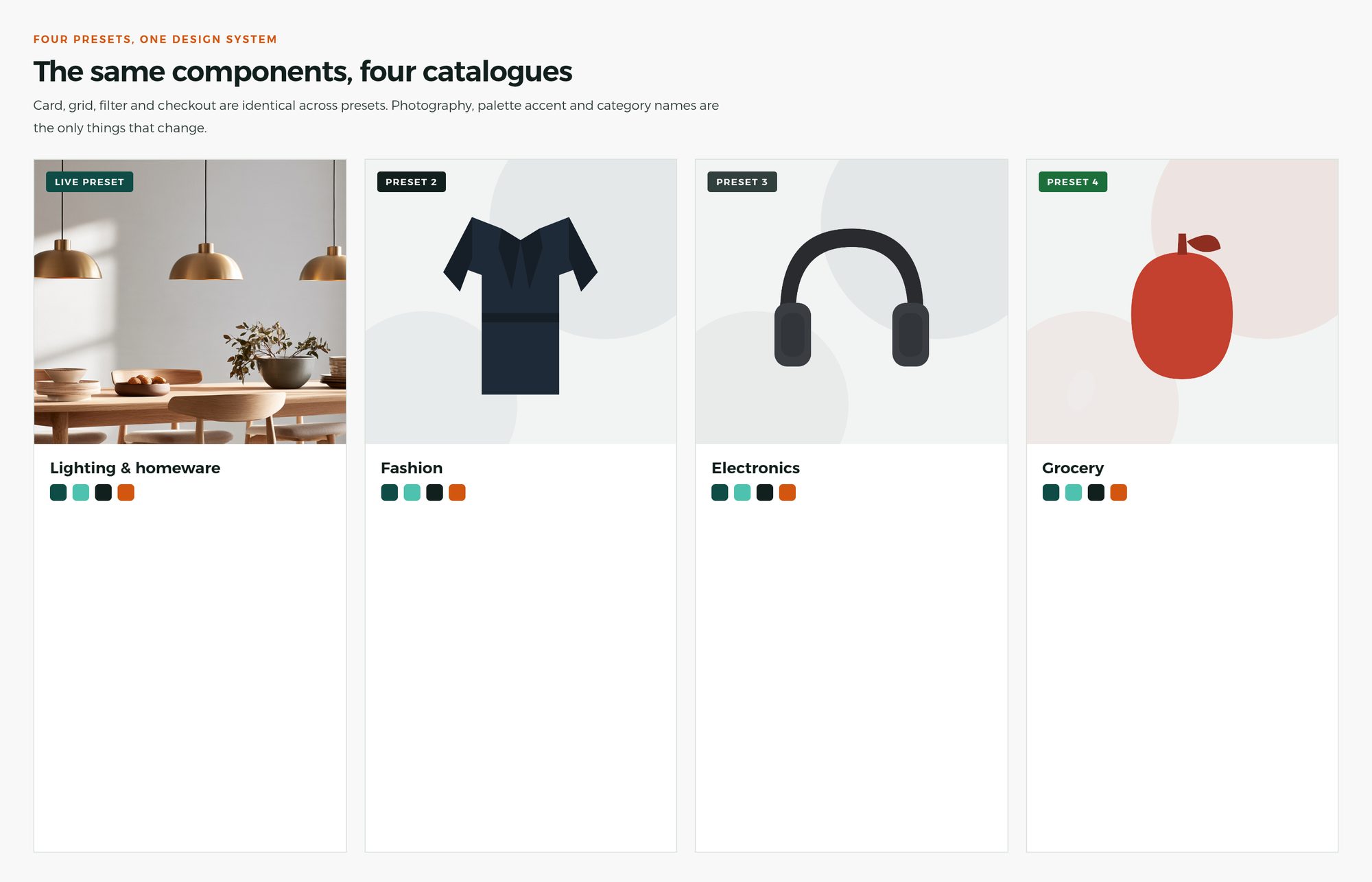
Four preset tiles side by side — lighting, fashion, electronics and grocery — each visibly different in density and image scale, but sharing one type system, one spacing grid and one set of controls.

Fashion

Editorial. Large imagery, lookbook rhythm, apparel and accessories.

Beauty

Spacious and quiet. Ingredient- and review-led, skincare and makeup.

Electronics

Dense and clean. Specifications and comparison lead the page.

Grocery

Fast and utilitarian. Repeat ordering, delivery time up front.

Questions people ask

Which Odoo versions does Lumen support?
Lumen is built for Odoo 19, Community and Enterprise, with the same features on both. It is maintained for the versions that follow.
Do I need a developer to install or configure it?
No. Lumen installs like any other Odoo app, and every option lives in the website editor — presets, header layouts, dark mode, the announcement bar. No theme file needs editing.
Does it replace Odoo's shop and checkout?
No, it extends them. Odoo's shop, cart, checkout, portal, payment and delivery flows stay as Odoo maintains them, so upgrades and other apps keep working.
How good is the right-to-left support?
Arabic is complete, not a flipped stylesheet: the layout mirrors, numerals are Arabic-Indic, the type is a face chosen for Arabic, and only the icons that should turn do. Every string is translatable into any Odoo language.
Is it accessible?
Contrast is measured against the colour actually painted behind each word, on every release, and nothing ships below WCAG 2.2 AA. Tap targets are 44px and focus rings are never suppressed.
Who makes Lumen?
UK DigiDevs Ltd, a software company based in Ilford, London. You can reach us on +44 7848 231087 or at sales@digidevs.uk.